Star Rating
Overview
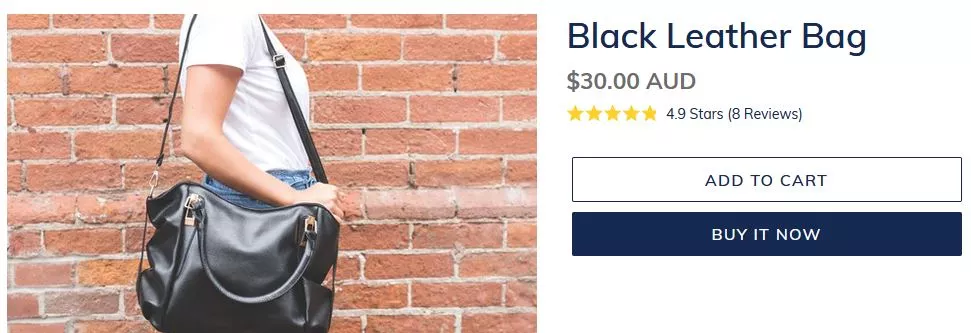
Star Ratings build shopper trust on collection and product pages with subtle yet powerful displays of customer feedback. Star Ratings show the average aggregated rating of published customer reviews as well as the total number of published reviews.
Installation
- Shopify Online Store 2.0
- Shopify Vintage Theme
Instructions for a Shopify Online Store 2.0 installation can be found here.
-
Create a new liquid snippet in the
snippetsfolder with the following name:snippets/okendo-reviews-product-rating-summary.liquid -
Inside your newly created liquid file, add the following HTML snippet:
<div data-oke-star-rating></div>
-
Customize your snippet with the data attributes listed here.
-
Copy the following snippet and place it in your Theme Code where you would like the widget to appear:
{% render 'okendo-reviews-product-rating-summary', product: product %}
For more detailed instructions, read our help centre article.
Styling
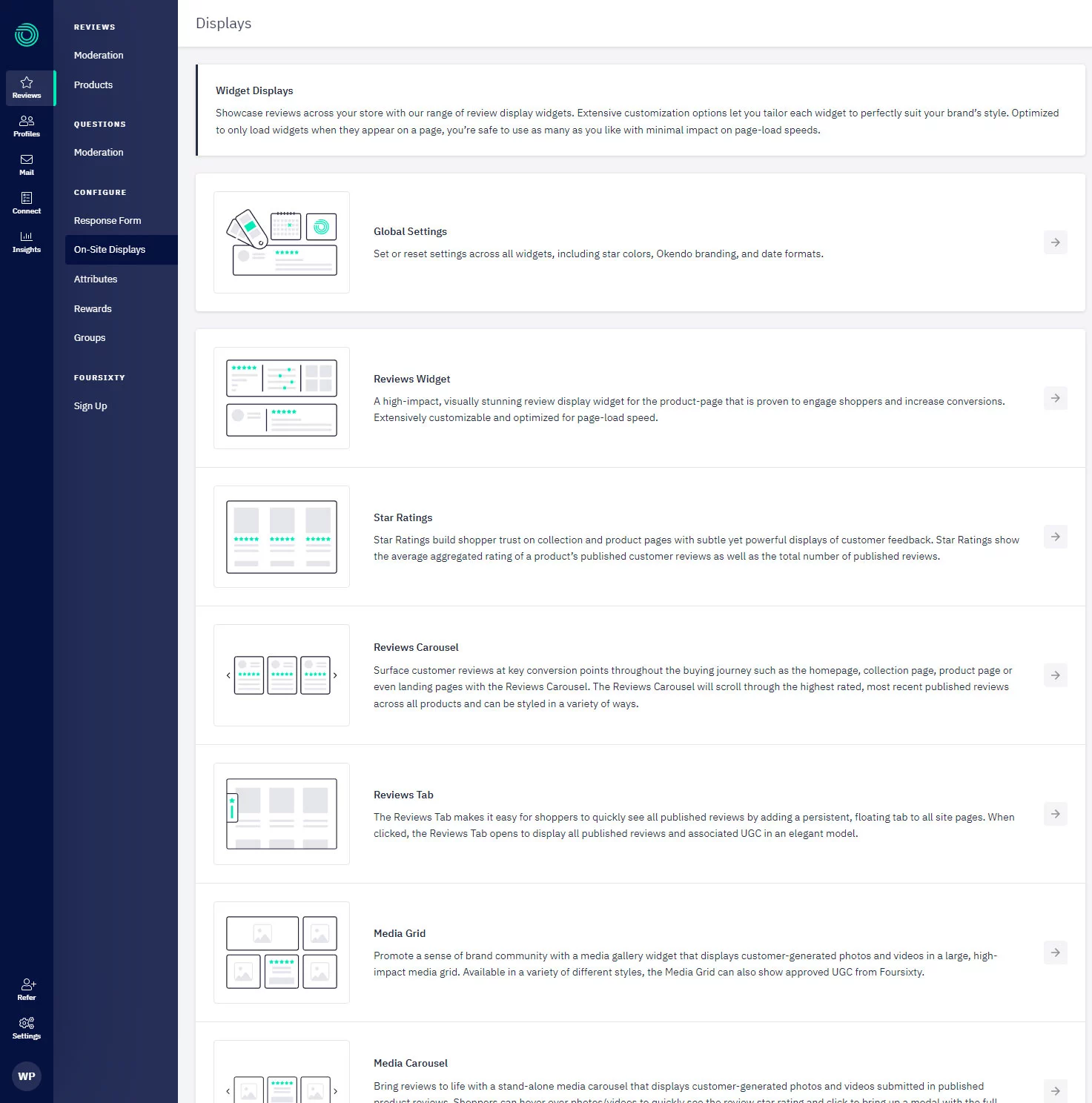
The preferred method of configuring the Star Rating is via the Okendo Admin which can be accessed in the Okendo app via Reviews → On-Site Displays:
Data Attributes
Use these data attributes on the widget markup to customise its configuration. None of these attributes are required.
| Data Attribute | Description | Value Type | Supported Values | Required |
|---|---|---|---|---|
data-oke-star-rating | This tells Widget Plus to show a star rating when the element is initialised. | ✅ | ||
data-oke-reviews-product-id | Used to specify a Shopify Product ID with the word shopify- in front of it. The star snippet will only show aggregate data for a particular product. | string | ||
data-oke-reviews-group-id | Used to specify an Okendo Group ID so that the star snippet only shows aggregate data for that particular group of products. | string | Any valid product group ID in a GUID format e.g. 69d2e67d-b980-4333-97b7-30411807a7b1 | |
data-oke-all-reviews | Determines whether or not to show the star snippet with the aggregate data from all reviews. | boolean | true, false | |
data-oke-scroll-disabled | Determines whether or not clicking the star snippet will scroll to the reviews widget. | boolean | true, false |
One of the following data attributes must be used in conjunction with the data-oke-star-rating attribute:
data-oke-reviews-product-iddata-oke-reviews-group-iddata-oke-all-reviews
Examples
Giving The Widget A Data Source
Without specifying a data source for the reviews, the widget will show all reviews for your store. You can provide either a Product ID or a Group ID to use that as the data source for the reviews.
Product Widget
If you are using liquid, use the following snippet:
<div data-oke-star-rating data-oke-reviews-product-id="shopify-{{ product.id }}"></div>
The general format for other frameworks is:
<div
    data-oke-star-rating
    data-oke-reviews-product-id="shopify-<PRODUCT_ID>"
></div>
The product widget also has some pre-rendered content stored in Shopify Metafields that we recommend including for increased performance on-site:
If you are using liquid, use the following snippet:
<div data-oke-star-rating data-oke-reviews-product-id="shopify-{{ product.id }}">
  {{ product.metafields.okendo.StarRatingSnippet }}
</div>
The general format for other frameworks is:
<div data-oke-star-rating data-oke-reviews-product-id="shopify-<PRODUCT_ID>">
  <!-- Retrieve the product.metafields.okendo.StarRatingSnippet via Shopify's GraphQL/REST API and put the contents here-->
</div>
Grouped Widget
Learn more about Okendo Groups here:
If you are using liquid or general frameworks, use the following snippet:
<div data-oke-star-rating data-oke-reviews-group-id="<GROUP_ID>">
  {{ product.metafields.okendo.StarRatingSnippet }}
</div>
Group ID is found in the Okendo Admin URL for a given group as described in the table above.
All Reviews Widget
If you are using liquid or general frameworks, use the following snippet:
<div data-oke-star-rating data-oke-all-reviews="true"></div>
Okendo Legacy Widget Backwards Compatibility
During a migration from our Legacy Widget to Widget Plus it is useful to keep showing the Legacy Widget until Widget Plus is enabled. This snippet shows how this can be achieved:
{% if shop.metafields.okendo.settings.isWidgetPlusEnabled == true %}
  {% assign renderWidgetPlusContent = true %}
{% elsif shop.metafields.okendo.settings.isWidgetPlusAdminEnabled == true %}
  {% if request.design_mode or theme.role == "unpublished" %}
    {% assign renderWidgetPlusContent = true %}
  {% endif %}
{% endif %}

{% if renderWidgetPlusContent == true %}
  <div data-oke-star-rating data-oke-reviews-product-id="shopify-{{ product.id }}">
    {{ product.metafields.okendo.StarRatingSnippet }}
  </div>
{% else %}
  <div data-oke-reviews-product-listing-rating>
    {{ product.metafields.okendo.ProductListingSnippet }}
  </div>
{% endif %}