Reviews Modal Trigger
Overview
Trigger a reviews widget to appear in a modal (pop-up) when the user clicks on an element on your online store.
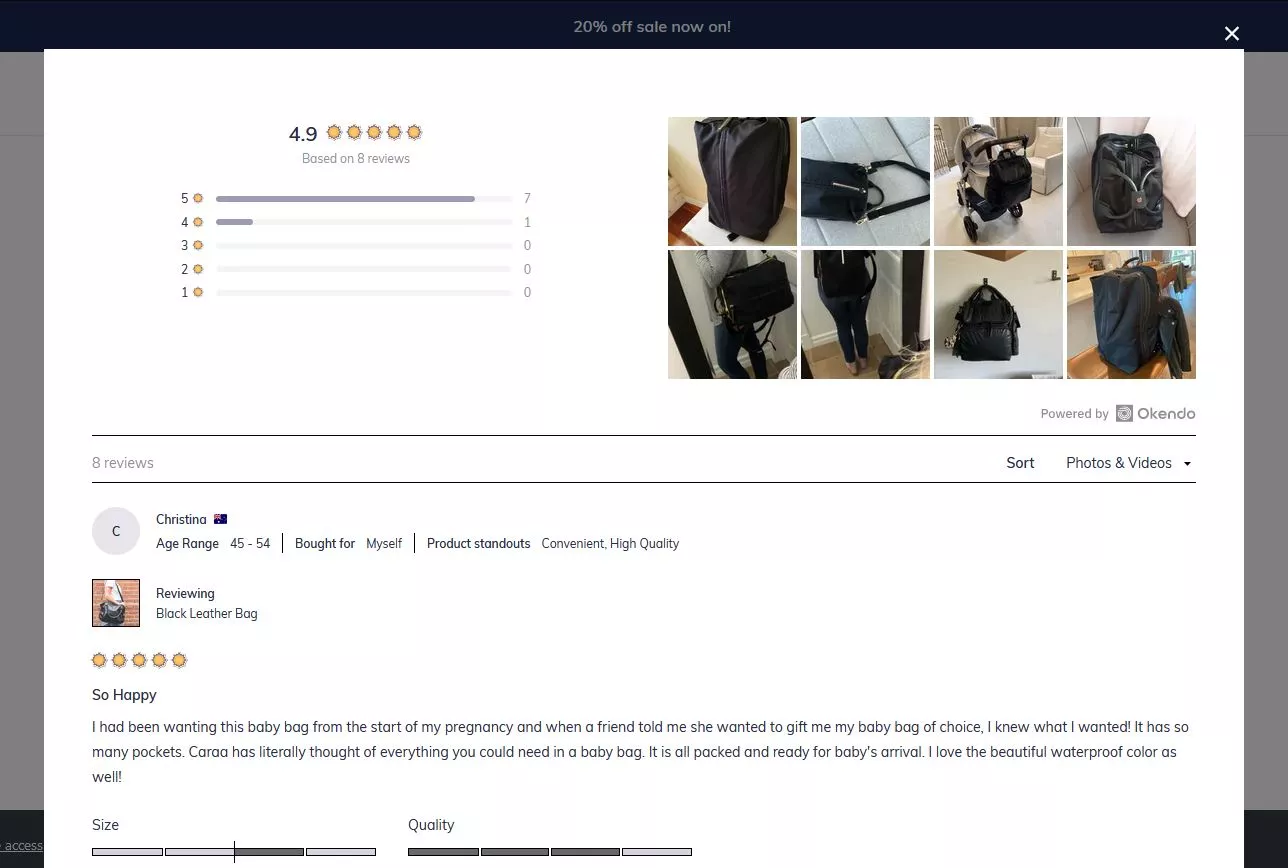
Installation
Place the data-oke-reviews-modal-trigger data attribute on any HTML element e.g. <div> <button> <span>. When Widget Plus initializes it will find any tags with that data element and add click behavior to them.
Data Attributes
| Data Attribute | Description | Value Type | Supported Values | Required |
|---|---|---|---|---|
data-oke-reviews-modal-trigger | This tells Widget Plus to show a modal/pop up when the customer clicks the element. | string | ✅ | |
data-oke-reviews-product-id | Used to specify a Shopify Product ID with the word shopify- in front of it. The reviews modal will only show reviews for the specified product. | string | Any valid product ID in the format shopify- e.g. shopify-1234567. | |
data-oke-reviews-group-id | Used to specify an Okendo Group ID so that the reviews badge widget will only show aggregate review data for the specified group of products. | string | Any valid product group ID in a GUID format e.g. 69d2e67d-b980-4333-97b7-30411807a7b1 |
Examples
Giving The Widget A Data Source
Without specifying a data source for the reviews, the widget will show all reviews for your store. You can provide either a Product ID or a Group ID to use that as the data source for the reviews.
Product Widget
If you are using liquid use the following snippet:
<div
    data-oke-reviews-modal-trigger
    data-oke-reviews-product-id="shopify-{{ product.id }}"
></div>
The general format for other frameworks is:
<div data-oke-reviews-modal-trigger data-oke-reviews-product-id="shopify-<PRODUCT_ID>"></div>
Group Widget
Grouped Widget
Learn more about Okendo Groups here:
If you are using liquid or general frameworks use the following snippet:
<div
    data-oke-reviews-modal-trigger
    data-oke-reviews-group-id="<GROUP_ID>"
></div>
Group ID is found in the Okendo Admin URL for a given group as described in the table above.